The 8 Best Free Coin Identifier Apps
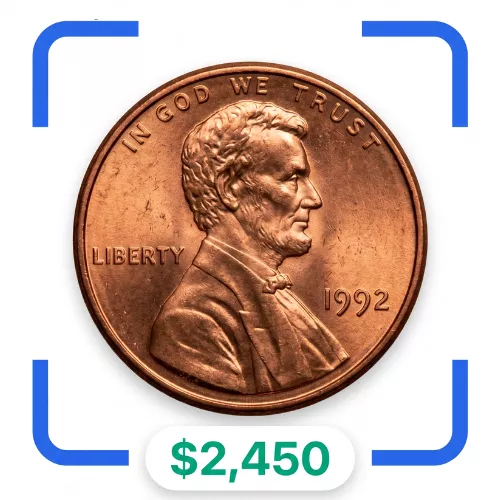
Trying to identify a coin by flipping through books takes forever, and you still might get it wrong.
These apps let you snap a photo and get an answer in seconds.
Here are the 8 free coin identifier apps worth putting on your phone.
1. Coin Value Checker — starts with the question you actually asked: what's it worth?
You didn't open an app to learn coin history, you opened it to find out what your coin is worth, and Coin Value Checker leads with exactly that.
It works on both iOS and Android, focuses on U.S. coins, and lets you scan for free every day.
One standout feature: it automatically checks every photo for errors, something only it and CoinKnow currently do.
So if there's a doubling issue or a mint mark oddity, you don't have to know to look for it yourself.
Collection management runs in the cloud, so you can open your list from any device you own.
Coins get sorted by series automatically, which makes browsing your own collection feel organized instead of messy.
There's also a wish list feature, so you can track coins you want to buy later.
A newer addition shows eBay price history for your coin - actual completed sales, not just guesses at value.
That distinction matters, because theoretical price guides don't always match what buyers really pay.
Now for the limitations: this app only covers U.S. coins, so it won't help with foreign currency.
Some users have reported crashes if they scan a lot of coins back to back.
Also worth knowing: the subscription pricing isn't always made clear upfront, so read before you commit.
Free on the App StoreGrab the Android version
2. CoinKnow — the one to trust when you need to know the pricing is real
Plenty of apps will give you a number, but CoinKnow tells you where that number actually comes from.
For American coins, it aims to give you the full picture from one scan - identification, grading, error detection, and market pricing all at once.
It's available on iOS and Android, focused on U.S. coins, and free to use for daily scans.
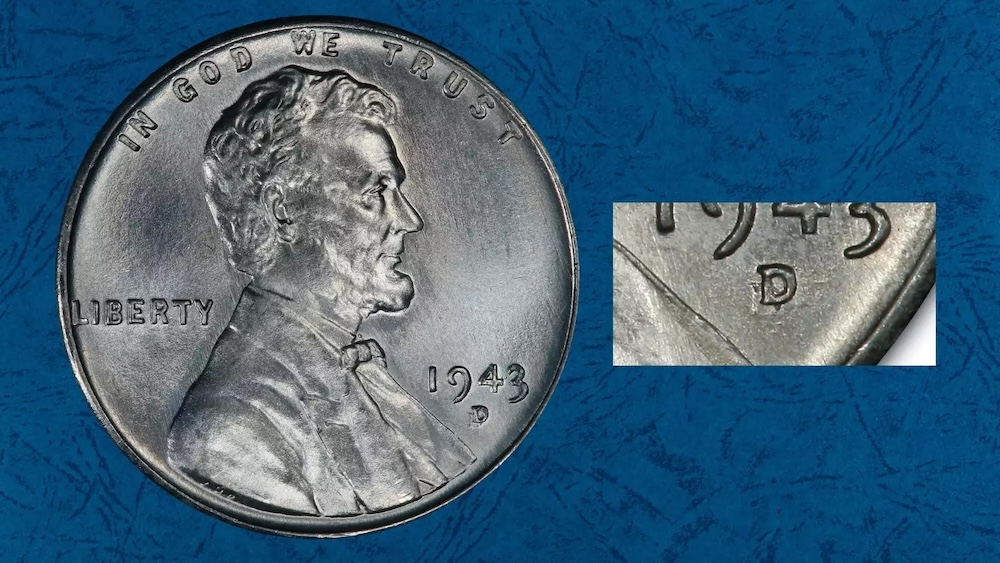
Every scan quietly checks in the background for doubled dies, missing mint marks, repunched mint marks, and known rare varieties.
You don't need to be an expert - the app flags the issue for you.
As an example, it can catch a 1972 doubled-die-obverse Lincoln Cent, a penny that can be worth $500 or more.
A recent update added PDF and CSV export, handy for insurance records, dealer visits, or just keeping your own files.
The pricing behind it pulls from three sources updated monthly: Heritage Auctions realized prices, PCGS price guides, and recent eBay sold listings.
After a scan, you can view eBay Sold Price Trends and click through to the actual listings behind those numbers.
The catch: it only covers U.S. coins, so international collectors will need something else.
And like any camera-based app, a blurry or poorly lit photo will hurt your results.
Get it on the App StoreFree on Google Play
3. NGC Coin Explorer — for collectors who want a grading-service name behind the app
NGC Coin Explorer suits collectors who already trust NGC's reputation in grading and authentication.
It works best for people who want reference information tied to a known grading standard, not just a quick guess from a photo.
You can generally use it to look up coin details and compare them against reference data.
It tends to appeal more to intermediate and advanced collectors than total beginners.
The app leans on identification and reference lookup rather than flashy extras.
One honest limitation: it may not be as fast or as automatic as some newer scan-and-go apps.
If you want a name-brand grading service behind your research, it's a solid pick to try.
Just don't expect it to replace an actual professional grading submission.
4. Coin ID Scanner — a straightforward option for quick, casual identification
Coin ID Scanner is built for people who just want a fast answer and don't need extra bells and whistles.
You point your camera at a coin, and it tries to identify what you're holding.
It works well as a first-pass tool before you dig deeper elsewhere.
Casual collectors and curious beginners tend to get the most out of it.
It's not really aimed at serious error-variety hunting or deep pricing research.
Think of it as a quick sorting tool rather than a full collection manager.
One limitation to expect: results can vary depending on photo quality and lighting, same as most scanning apps.
If you want something simple without a learning curve, it's worth a look.
5. CoinManage — less about scanning, more about organizing what you already own
CoinManage leans toward collection management rather than being primarily a scan-and-identify tool.
It suits people who already know what they have and want a tidy digital record of it.
You can typically log details about each coin, build out your inventory, and keep track of your collection over time.
It works well for collectors who care about organization as much as identification.
If you want to see how it stacks up against scanning-first apps, a side-by-side comparison of scanning apps can help you decide which style fits you better.
One limitation: if your main goal is instant photo identification, this may not be the fastest route.
It's better suited to record-keeping than to snap-and-guess moments.
Long-time collectors with growing inventories tend to appreciate it most.
6. Coinoscope — built around visual matching for quick lookups
Coinoscope focuses on visual recognition, matching your photo against a database of coin images.
It's a decent option when you just want a quick visual match rather than a deep valuation report.
Casual users who collect a mix of coins and just want to know "what is this" will find it useful.
It's less focused on pricing detail and more on identification itself.
Because it relies on image matching, unusual angles or worn coins can throw off the result.
It works best with clear, well-lit photos taken straight on.
If you're chasing detailed error-variety detection, this probably isn't your main tool.
For a fast first guess, though, it does the job.
7. CoinScanner — a camera-first tool for on-the-go identification
CoinScanner is built around quick, on-the-spot photo identification.
It suits people who want an answer right there at a coin show, flea market, or estate sale.
You snap a photo, and it tries to tell you what you're looking at.
It's a convenient option when you don't want to carry reference books around.
Like most camera-based apps, results depend heavily on lighting and image clarity.
It's not necessarily built for deep collection tracking or long-term record keeping.
Think of it as a pocket helper rather than a full research tool.
Beginners exploring a jar of old coins tend to get the most value from it.
8. Numista — a community-driven reference for coins from around the world
Numista stands out because it's built around a large community-contributed catalog rather than automated scanning.
It suits collectors who deal with coins from many different countries, not just U.S. currency.
You can search and browse listings to match details like country, year, and design.
It works well as a reference tool when you already have some clues to search with.
It's less about instant photo identification and more about structured lookup and community knowledge.
One limitation: matching a coin can take more manual effort compared to snap-and-scan apps.
World coin collectors tend to rely on it heavily for this reason.
If you collect internationally, it's a strong companion to the scanning apps on this list.
Any of these apps will save you time compared to guessing on your own.
The two featured picks stand out if you want error detection built into every scan.
The rest each fill a specific niche, from organizing to world coins.
FAQ
Are these coin identifier apps really free?
Most offer free daily scans or free basic use.
Some add optional subscriptions for extra features like advanced reports.
Always check the pricing details inside the app before you commit to anything.
Can these apps replace professional grading?
No, they're meant to help you get a first read on a coin.
For coins you think are rare or valuable, a professional grading service is still worth it.
Think of these apps as a helpful first step, not a final verdict.
Do I need a good camera to get accurate results?
Photo quality matters a lot for any scan-based app.
Good lighting and a steady, close-up shot make a real difference in accuracy.
Blurry or dark photos are one of the most common reasons for a wrong identification.